
This guide will walk you through the foundational integration of Subotiz's payment capabilities using our Hosted Checkout solution(hosted mode)to quickly implement a payment flow. Subotiz provides an easy-to-use payment solution that supports core features such as subscription management and transaction processing, making it suitable for various business scenarios including AI platforms, SaaS applications, and more.
Prerequisites
- Have a registered Subotiz merchant account(signup url)
- Have completed the Subotiz payment gateway setup and payment method configuration
Quick Integration Steps
Step 1: Obtain Access Credentials
-
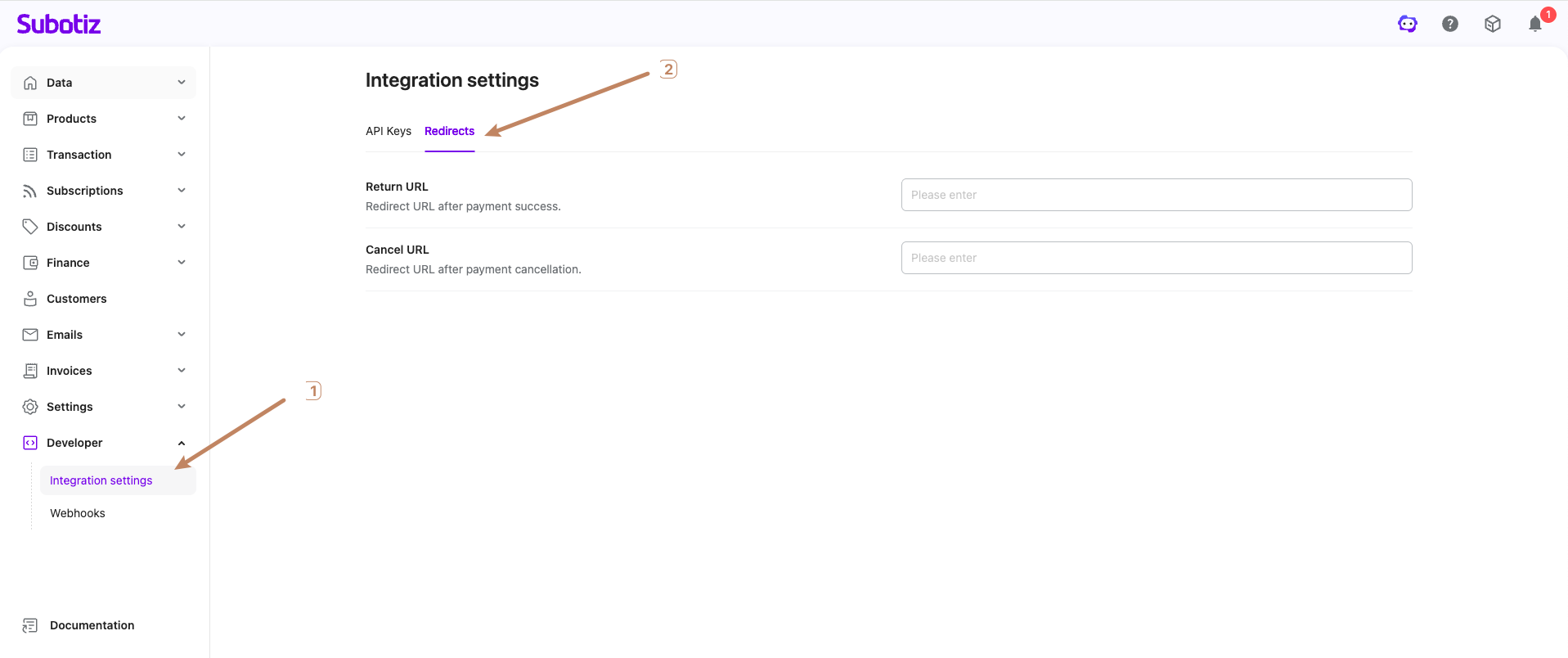
Log in to the Subotiz merchant platform
-
Configure Payment Callback URLs
return_url:Redirect URL after payment success. Default value when Using the API to create a checkout session.cancel_url:Redirect URL after payment cancellation. Default value when Using the API to create a checkout session.
URL supplied at session creation override the defaults set here. We recommend setting a global default address for convenience, while using the API to provide specific URL for unique scenarios
-
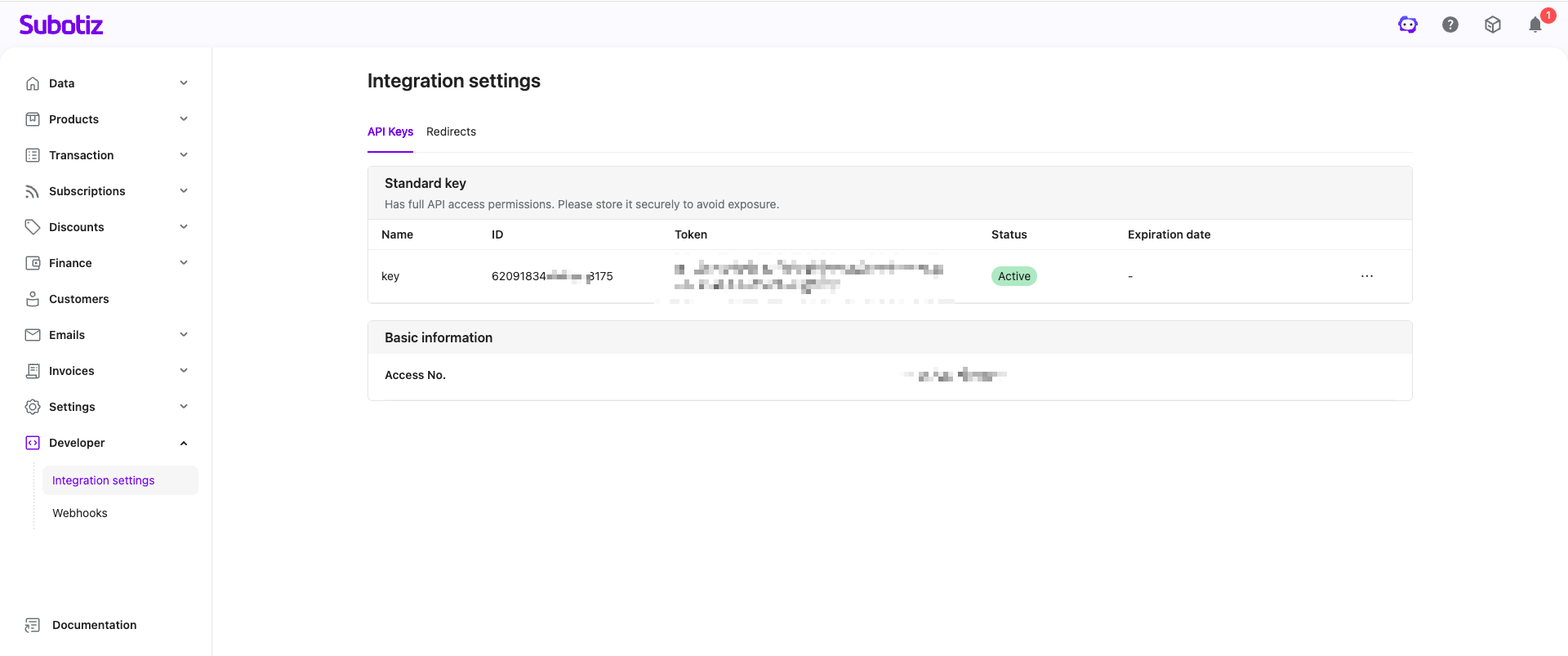
Obtain the access information provided by the platform:
access_no: Unique identifier for the integrating partymerchant_id: Unique merchant identifierAPI Key: API authentication key. See Authentication for how to obtain it(Keep strictly confidential, never expose on the client-side)
Step 2: Obtain Product Information
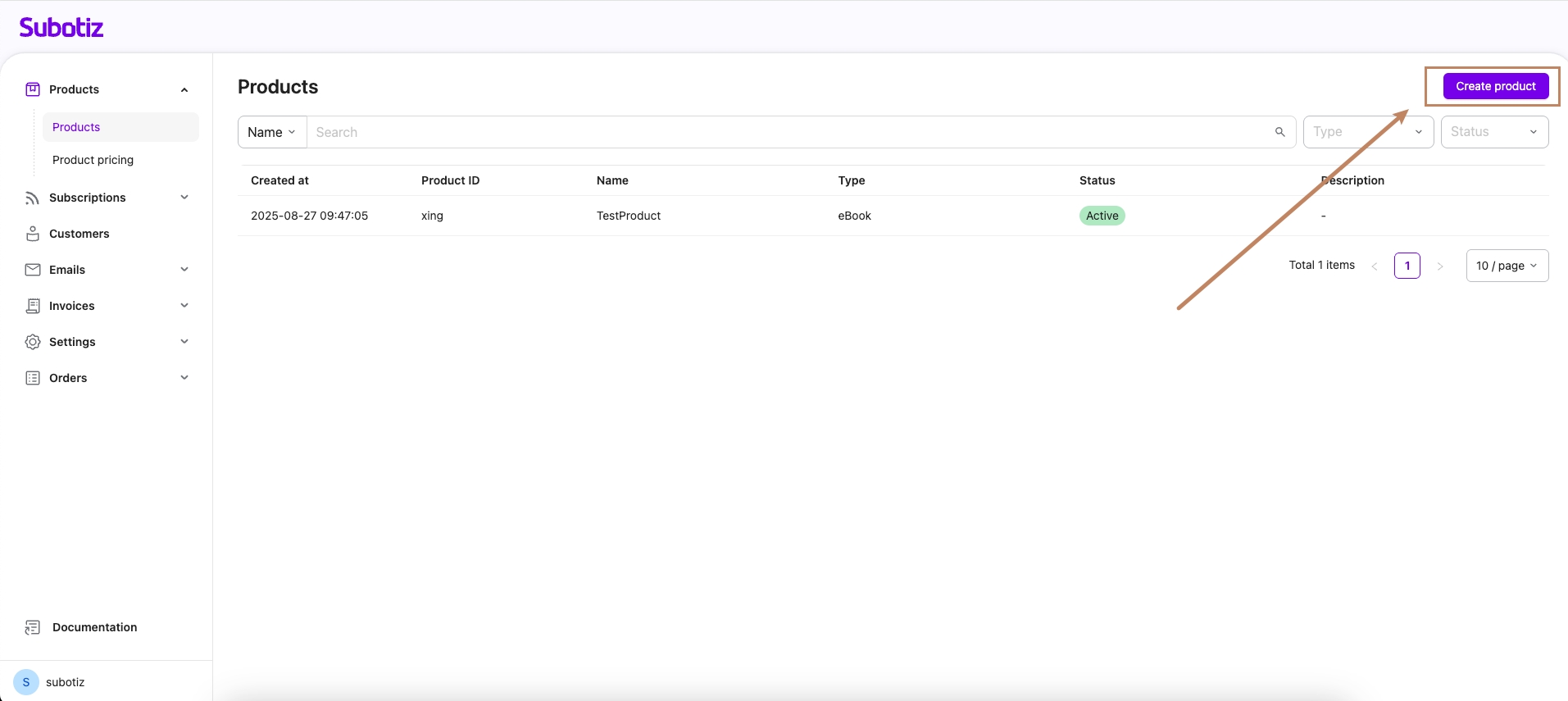
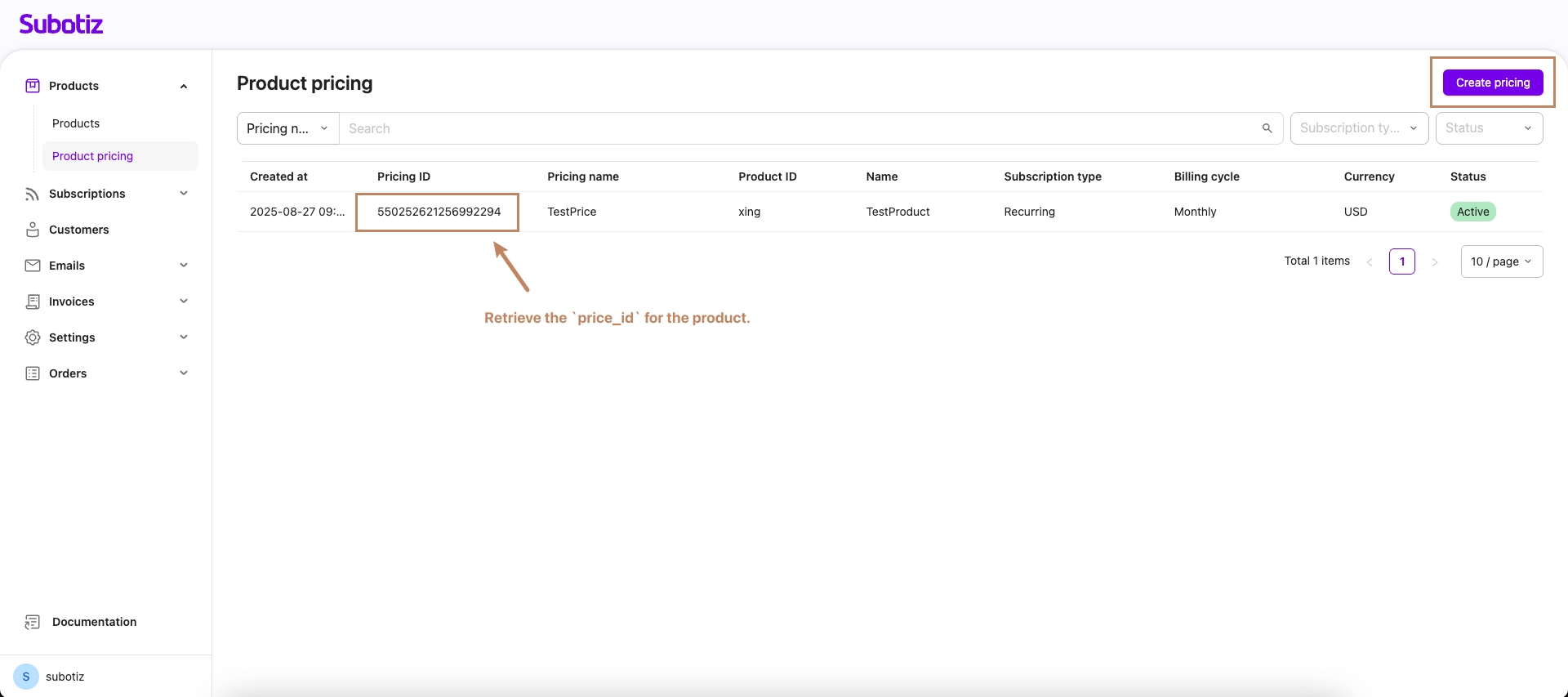
Create products and product pricing within the Subotiz merchant platform. Store the product and price information on your server. Creating a Checkout Session relies on the pricing_id of the product pricing to dynamically retrieve product information.
Create a Product:
Create Product Pricing:
Step 3: Create a Checkout Session
Use the API to create a checkout session, retrieve the payment page URL, and guide the customer through completing the payment.
Request Example
curl --location 'https://api.stg.subotiz.com/api/v1/session' \
--header 'Content-Type: application/json' \
--header 'Authorization: Bearer {your_api_key}' \
--header 'Request-Id: 07949371-7868-2282-78af-2a8d5c043760' \
--data-raw '{
  "access_no": "{Your access_no}",
  "sub_merchant_id": "{Your merchant_id}",
  "order_id": "test_order_001",
  "email": "[email protected]",
  "line_items": [
    {
      "price_id": "{Product pricing ID}",
      "quantity": "1"
    }
  ],
  "return_url": "https://your-app.com/success",
  "cancel_url": "https://your-app.com/cancel"
}'
Step 4: Test Payment Completion
- Upon successful API response, obtain the
data.session_url(payment page URL) - Access this link in a browser to view the Subotiz-hosted checkout page
- Use the following test card numbers to complete payment testing(for Subotiz Payments)
- Payment Success: Card number
4242424242424242, any 3-digit CVC, any future expiration date - Payment Failure: Card number 4000000000000002, any 3-digit CVC, any future expiration date
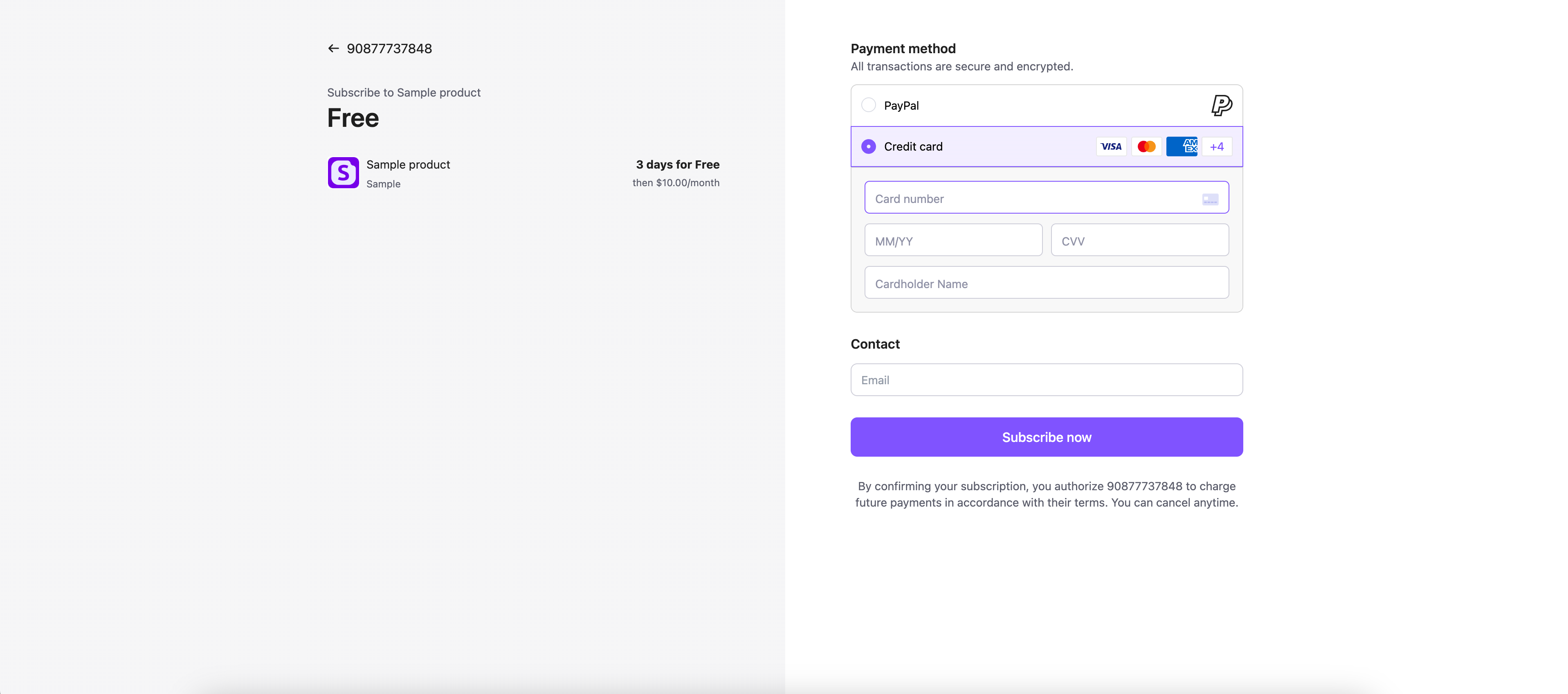
Example Checkout Page
Step 5: Handle Payment Result Notifications
-
Upon payment completion, the user will be redirected to the
return_url(success scenario). -
Simultaneously, Subotiz will send a Webhook notification to your webhook entpoint(event type
trades.succeeded). -
Verify the Webhook's legitimacy:
-
Extract Parameters: Obtain the X-Timestamp from the request headers (denoted as
timestamp), and get the raw request body content (denoted asbody). -
Construct Signature Original String: Format is
${timestamp}.${body}. -
Compute Signature: Using the
API Keyassigned by Subotiz as the key, compute the signature value via the HMAC-SHA256 algorithm.// Compute Signature func CalcSignature(timestamp int64, body []byte, secret string) string { mac := hmac.New(sha256.New, []byte(secret)) mac.Write([]byte(fmt.Sprintf("%d", timestamp))) mac.Write([]byte(".")) mac.Write(body) return hex.EncodeToString(mac.Sum(nil)) } -
Compare and Verify: Compare the calculated signature with the X-Signature value from the request headers. If they match, the request is legitimate.
-
Verifying the Result
- Log in to the Subotiz merchant platform to review transaction records and subscription records.
- Verify that the order amount and product information are correct.